

When it comes to command centers, protecting sensitive electronics relies on more than just secure housing or the latest technology. It all begins with effective thermal management. By maintaining optimal temperatures and airflow, you prevent heat buildup that can compromise servers, radios, and other communication equipment. With an innovative approach to thermal control, your team can avoid unexpected downtime, protect your investment, and maintain steady operations regardless of the environment.
According to the Uptime Institute’s most recent outage analysis, more than half (54%) of operators reported that their last significant outage cost over $100,000. Approximately one in five exceeded $1 million, underscoring the importance of proactive thermal management as a high-ROI reliability strategy.
Understanding the Thermal Risks in Command Centers
Safeguarding electronics in a command center begins with recognizing how heat buildup threatens the performance and reliability of mission-critical technology.
Sources of Excess Heat in Command Environments
Many components inside a command center produce heat as a byproduct of regular operation. Servers, network switches, communications gear, and displays all contribute to rising temperatures, especially when densely packed. Even the presence of staff and ongoing equipment activity adds to the heat load, making it essential to account for every source during planning.
Best-practice guidance from the U.S. DOE/Lawrence Berkeley National Laboratory (LBNL) emphasizes comprehensive air management, including containment of hot air and clear intakes and exhausts, because combined IT loads and internal gains can drive hot spots if unmanaged.
Consequences of Inadequate Thermal Management
If heat is allowed to accumulate, the effects can be immediate and costly. Electronics may begin to throttle performance or shut down entirely to avoid damage. This leads to lost data, dropped communications, and potentially even hardware failure. Over time, repeated exposure to elevated temperatures accelerates wear, reduces component life, and increases maintenance costs.
The Need for Proactive Environmental Control
Proactive thermal management goes beyond reacting to problems. By maintaining stable temperatures and consistent airflow, command centers can prevent downtime, preserve data integrity, and ensure operational readiness. Implementing strong environmental controls protects not only the equipment but also the teams and communities that rely on its performance.
What are the early warning signs of thermal issues in a command center?
One of the earliest signs is unexpected performance drops in IT equipment or intermittent resets of network hardware. You may also notice that server fans are running constantly at high speed or that surfaces near power distribution units feel hot to the touch.
Over time, filters and vents will clog more frequently, and displays may show temperature alarms or warnings. Monitoring these indicators can help teams take action before minor problems escalate into significant downtime.
Engineering Principles for Effective Thermal Management
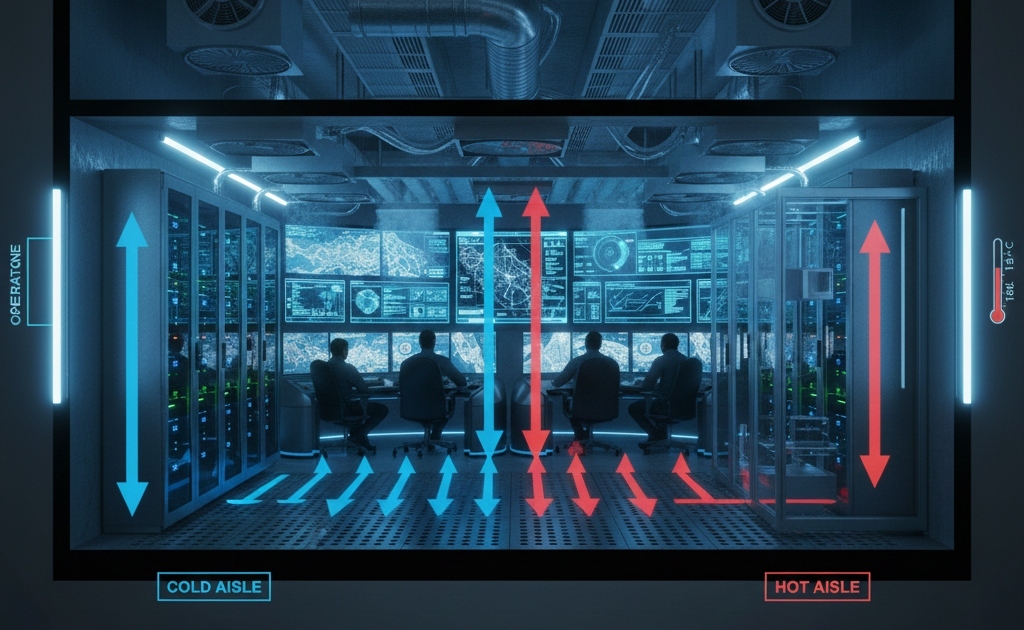
Once the risks are clearly understood, the next step is to establish robust engineering fundamentals that ensure electronics remain safe and operations remain stable.
Setting Clear Environmental Objectives
Every command center is different, but the thermal management plan should always start by defining target temperature and humidity levels based on the equipment manufacturer’s specifications. Maintaining these set points ensures that every component, from network switches to large-format displays, operates at peak efficiency and reliability.
Preventing Hot Spots and Airflow Dead Zones
A key part of protecting electronics is ensuring that cool air reaches every critical area. Inefficient layouts or crowded cabinets can block airflow, leading to hot spots that silently threaten sensitive equipment. Mapping airflow and checking for dead zones during design can help prevent trouble before it starts.
Building for Field-Ready Durability
Command centers often operate in challenging environments, where vibration, dust, and temperature fluctuations are inherent to the job. Durable construction techniques, quality sealing, and reliable air filtration work together to shield sensitive gear from these hazards, keeping your technology running longer and reducing the risk of field failures.
How does vibration affect cooling performance in mobile command units?
Vibration can loosen fasteners and connectors, creating unexpected gaps in airflow or causing critical components to move out of place. It may also dislodge dust inside enclosures, further restricting cooling. Using vibration-damping mounts and secure cable management helps preserve both cooling performance and electronic reliability on the move, especially in mobile command center trailers.
Planning for Heat Load and Command Center Layout
Proper planning for heat and interior layout lays the groundwork for dependable cooling and long-term equipment protection. Before the first server is powered up, understanding and organizing your space makes all the difference.
Assessing Total Heat Output
Begin by identifying every source of heat inside the command center. Tally up the wattage from all electronics servers, radio transmitters, displays, and network hardware. It is also essential to consider the number of people working inside, since each person adds to the overall heat load. Don’t forget to factor in environmental influences, such as sunlight coming through windows or varying outside temperatures in the operating region.
Optimizing Equipment Arrangement
The positioning of racks, cabinets, and workstations impacts the effectiveness of your cooling system; place equipment to allow precise airflow from intake to exhaust, minimizing obstructions. Short, organized cable runs keep pathways open and avoid blocking vents or fans. Where possible, separate high-output electronics from occupied areas to reduce localized heat and maintain operator comfort.
Leveraging Airflow Modeling for High-Density Builds
In command centers with dense equipment setups, advanced airflow modeling can help reveal potential hot spots before installation. Computational fluid dynamics (CFD) simulations visualize how air will move throughout the space, allowing you to refine your layout and cooling strategies early. This proactive approach helps prevent surprises and ensures every piece of equipment stays within its safe operating range.
Can the placement of doors and windows impact thermal management?
Yes, the location of doors and windows can significantly impact temperature control. Sunlight coming through windows increases internal heat, while frequently opened doors let conditioned air escape and invite outside heat in. Strategic placement, along with sunshades or reflective coatings, can help maintain a stable environment inside the command center.
Field-Proven Cooling and Air Management Strategies
Once the heat load and layout have been established, it’s time to implement cooling solutions that deliver reliable performance in the real world. The right approach combines robust technology with strategies proven in demanding field conditions.
Environmental Control Units for Mobile Environments
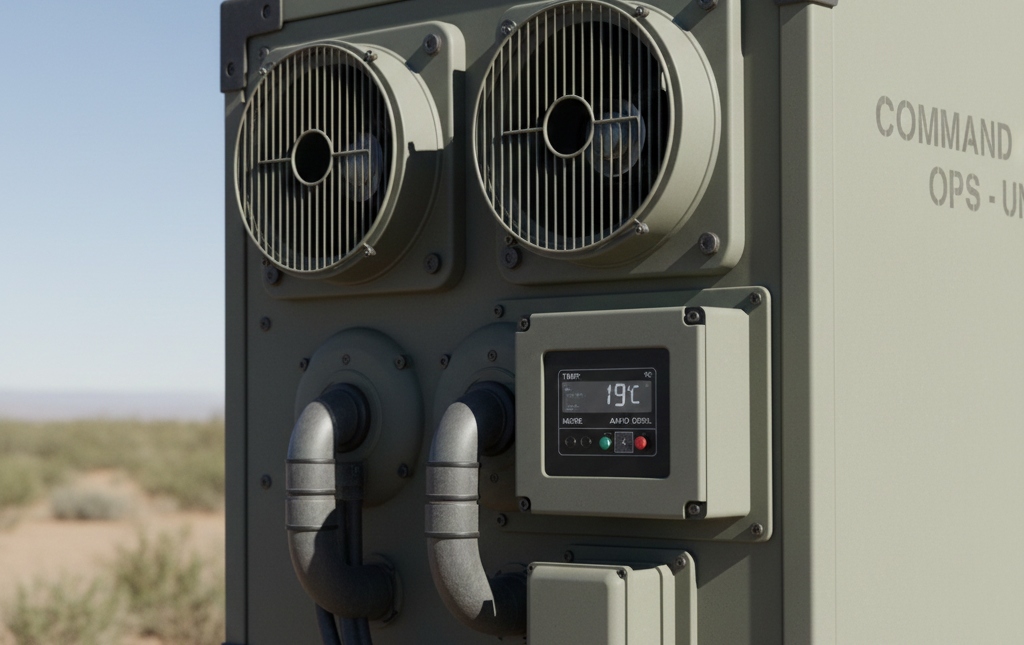
Environmental Control Units (ECUs) are crucial for maintaining safe temperatures within command centers, particularly those located on wheels or in modular shelters. These systems circulate conditioned air within the enclosure, blocking out dust and humidity from the outside environment. Choosing an ECU that matches your actual equipment load and operational climate is key to keeping systems online, no matter where the mission takes you.
Direct and Zonal Cooling Techniques
Certain areas inside a command center, such as dense server racks or radio bays, require more focused cooling. By channeling cool air directly to high-demand equipment and creating dedicated zones with their own airflow paths, you can prevent hot spots and ensure that sensitive electronics stay within their optimal temperature range.
Humidity and Filtration Management
Controlling humidity is just as crucial as managing temperature. Excess moisture can damage electronics and lead to condensation inside enclosures. Quality filtration systems help trap dust and other particulates, preventing them from accumulating on sensitive surfaces or blocking airflow. Both elements are critical for maintaining a safe environment for electronics, especially in regions prone to dust or high humidity.
Integrating Power and Cooling Systems
Reliable cooling depends on a consistent and stable power supply. Integrating cooling systems with backup generators, battery banks, and uninterruptible power supplies ensures that thermal protection remains active even if the primary power source fluctuates. Planning for redundancy and seamless transitions between power sources helps safeguard electronics during critical operations, ensuring an uninterrupted power supply.
What is the advantage of closed-loop cooling in mobile environments?
Closed-loop cooling keeps conditioned air circulating inside the command center, preventing outside contaminants from entering the system. This approach maintains more stable temperatures, protects equipment from dust and debris, and ensures reliable performance even in harsh outdoor conditions.
Cabinet and Enclosure Design for Electronic Protection
Once cooling strategies are in place, the design and build of cabinets and enclosures become the next line of defense for your technology. The right choices here make a significant impact on both thermal performance and long-term equipment reliability.
Creating Defined Intake and Exhaust Pathways
A successful enclosure design ensures that every piece of equipment has a clear path for cool air to enter and warm air to exit. Sealed or semi-sealed cabinets with dedicated intake and exhaust channels help prevent hot air from recirculating back into sensitive electronics. Properly placed vents, baffles, and ductwork all contribute to smoother airflow and more effective cooling.
Managing Localized Hot Spots
Not every component generates heat equally. High-performance compute trays, dense radio stacks, and power amplifiers often generate concentrated hotspots. Applying thermal interface materials, such as heat spreaders or conductive pads, helps transfer excess heat away from these components, maintaining stable temperatures across the enclosure.
Insulating and Isolating for Field Use
Mobile command centers face unique challenges from vibration, dust, and fluctuating outdoor conditions. Insulating the enclosure helps block radiant heat from sunlight, while vibration-damping mounts keep racks and ECUs stable during transport. These features protect sensitive gear and preserve airflow, even on rough terrain.
Ensuring Service Access Without Compromising Airflow
Routine maintenance is much easier when enclosures are designed for quick, tool-free access to filters, coils, and wiring. At the same time, these access points mustn’t create new airflow restrictions or leak paths. Thoughtful design preserves cooling efficiency while facilitating fast and effective service.
Why is service access so important for thermal performance?
Easy access allows technicians to maintain filters, clean cooling coils, and inspect airflow without dismantling critical systems. This reduces downtime, helps prevent unintentional blockages, and ensures consistent thermal performance throughout the command center’s lifespan.
Real-Time Monitoring and Control Systems
Even the best-designed cooling system needs to be actively managed. Modern command centers rely on intelligent monitoring and controls to maintain the perfect balance of temperature and airflow at all times.
Smart Sensor Placement for Accurate Oversight
Strategically placed sensors provide the data backbone for every thermal management plan. Sensors should be positioned at both intake and exhaust points, as well as in proximity to high-heat electronics. By gathering real-time information from multiple locations, teams can quickly identify rising temperatures or emerging hot spots before they become critical.
Automated Alerts and Remote Monitoring
Automated alert systems notify operators instantly if temperatures or humidity levels drift outside the safe range. Many setups now include remote dashboards, allowing teams to oversee the environment and receive alerts from anywhere. This capability is especially valuable for command centers deployed in remote or high-risk environments, where quick response can make all the difference.
Data Logging for Performance Analysis
Continuous data logging transforms raw sensor readings into actionable insights. By reviewing historical temperature and performance data, teams can identify trends, pinpoint recurring issues, and refine their thermal management strategies. This approach not only helps prevent downtime but also supports continuous improvement and accountability.
How does data logging support mission-critical operations?
Data logging builds a reliable history of how systems perform under real-world conditions. Reviewing these records enables teams to anticipate challenges, validate changes, and maintain systems at peak efficiency. When issues do arise, historical data can speed troubleshooting and support better decision-making for future deployments.
Aligning with Industry Standards and Best Practices
Strong thermal management in command centers is not just about following intuition or experience; it’s about building on a foundation of recognized industry standards. These benchmarks guide every aspect of system design, installation, and operation, ensuring that your electronics stay protected under any conditions.
Key Standards for Mission-Critical Cooling
Organizations such as ASHRAE and the Telecommunications Industry Association (through its ANSI/TIA‑942 standard) have published detailed guidelines that set clear expectations for safe temperature and humidity ranges, system redundancy, monitoring, and testing protocols. Following these standards ensures that your command center meets both technical and regulatory requirements, thereby supporting long‐term operational reliability. These frameworks (ASHRAE TC 9.9 and TIA-942) are widely used baselines for mission-critical projects.
Benefits of Standards-Driven Design
By building to established criteria, every step from equipment selection to layout and acceptance testing becomes more predictable. This approach reduces project risk, streamlines documentation, and increases stakeholder confidence. It also facilitates easier maintenance, troubleshooting, and future upgrades.
Ongoing Validation and Compliance
Compliance is not a one-time event. Maintaining alignment with industry standards requires regular testing, documentation, and system reviews. This ongoing commitment ensures that your thermal management systems continually adapt to changes in technology and evolving mission needs, delivering dependable protection for your electronics.
How does standards compliance affect long-term reliability?
Systems designed and maintained to meet industry standards undergo more rigorous testing and documentation, which improves their reliability and extends their service life. This commitment to compliance streamlines troubleshooting, ensures consistent performance, and provides a clear path for future system enhancements.
Commissioning, Maintenance, and Field Readiness
A reliable thermal management system is only as effective as its commissioning and ongoing care. The proper practices ensure cooling systems work flawlessly before, during, and after every mission.
Commissioning for Performance Verification
The commissioning process begins at the factory, where each component is tested to verify it meets specified performance standards. On-site, every ECU, airflow path, and control system is rechecked under real operating conditions. This ensures temperature and airflow targets are met at every critical location within the command center.
Establishing Regular Maintenance Routines
Consistent maintenance keeps thermal systems at peak efficiency. This includes scheduled filter changes, coil cleaning, and sensor calibration. Maintenance checklists should be tailored to the mission profile and deployment frequency, with records kept to track the condition of every component.
Preparing for Rapid Response in the Field
Despite the best planning, unforeseen issues can arise during deployments. That’s why it is essential to have rapid-response procedures in place. Teams should know how to interpret alarms, perform quick diagnostics, and restore whole system function with minimal downtime. Pre-positioned spares and clear escalation protocols add another layer of resilience.
How often should thermal systems be inspected in the field?
Thermal systems should be inspected before every deployment, after any significant equipment upgrade, and at regular intervals as recommended by the manufacturer. Regular inspections help catch issues early, ensuring the command center remains ready for any assignment.
Take the Next Step Toward Mission-Ready Command Centers
The right approach to thermal management makes all the difference in keeping your command center reliable, resilient, and fully operational. From careful planning and engineering to ongoing monitoring and field maintenance, every detail counts. By applying proven strategies and industry standards, your team can prevent downtime, extend the lifespan of valuable electronics, and ensure optimal performance wherever your mission takes you.
Ready to safeguard your technology and streamline your operations? Visit Craftsmen Industries to connect with our experts, schedule a free consultation, or request a custom thermal management solution for your command center. Make the move toward superior reliability today.
Frequently Asked Questions
What is the ideal internal temperature rise allowed in a mobile command center?
The acceptable temperature rise inside a mobile command unit depends on the equipment specifications; however, a general guideline is to keep the internal temperature no more than about 10–15°F (5–8°C) above ambient temperature under full load. This margin helps maintain safe operating conditions for servers, radios, and other electronics, and provides the cooling system with some headroom for unexpected loads or environmental changes.
How do you size the HVAC or cooling equipment for a command center trailer?
Sizing cooling equipment begins with calculating the total sensible heat load (from equipment, people, lights, and solar gain), adding a safety margin for redundancy, and then selecting a unit that can maintain target temperatures under worst-case conditions. Don’t forget to consider external factors, such as high ambient temperatures, solar loads, and dusty or humid field conditions, when determining the appropriate HVAC capacity.
Is liquid cooling ever a viable option in mobile command vans or trailers?
Yes. While air‑based cooling is most common, liquid cooling offers advantages in very high‑density racks or where equipment generates extreme heat loads. In mobile command vans or trailers, liquid cooling can be used in conjunction with air systems to address hot spots, particularly in compact interiors. The key is ensuring safe plumbing, spill containment, and field serviceability.
How frequently should airflow sensors and temperature sensors be calibrated or replaced?
Sensor calibration should be part of your preventative maintenance schedule. Typically, temperature and airflow sensors in mission‑critical environments should be inspected or calibrated annually and replaced if drift or fault is detected. A log of readings will help indicate when sensors are moving out of tolerance or showing inconsistent behavior.
What differences in thermal management should you expect between fixed command centers and mobile command centers?
Fixed command centers often have more space, fixed HVAC infrastructure, and predictable ambient conditions, which simplifies cooling design. Mobile command centers face additional challenges, including variable ambient conditions, transport vibration, compact layouts, and potentially limited external support. As a result, they often require sealed environments, robust filtration, vibration‑tolerant mounts, and redundant cooling and power systems.
Filter Posts by Tag
related posts
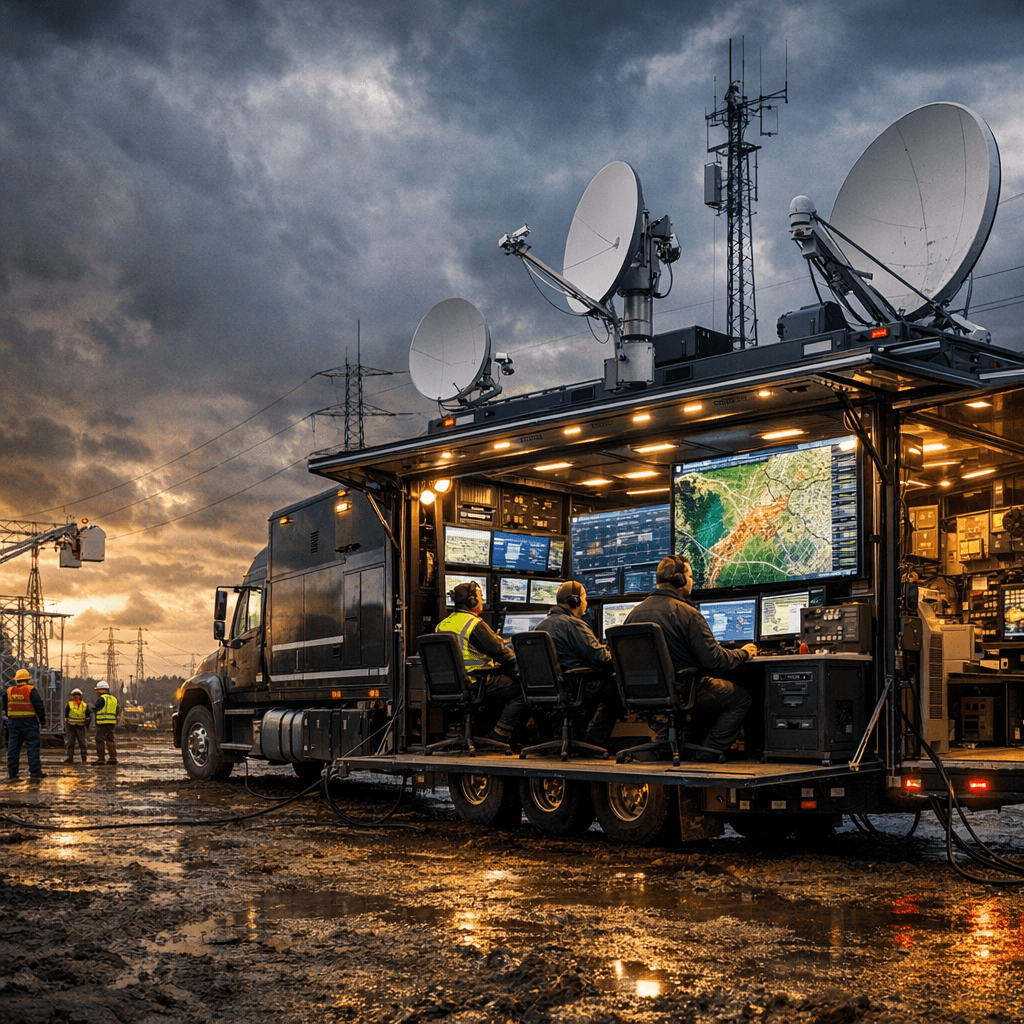
Mobile command centers for utility and energy companies are self-contained, [...]
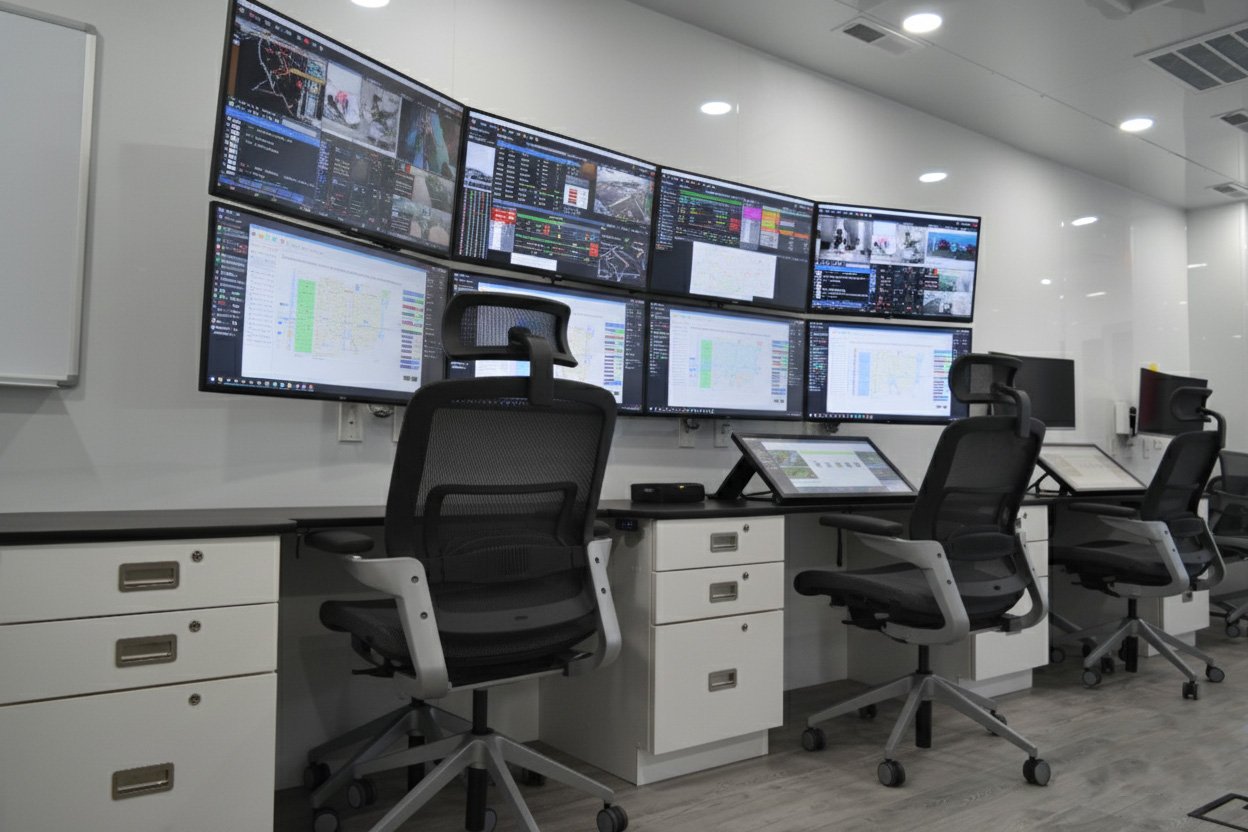
Boost comfort, safety and efficiency in mobile command vehicles with ergonomic interiors including seating, lighting, layouts and adaptive technology for field operations
A used mobile command center is a previously deployed, [...]
